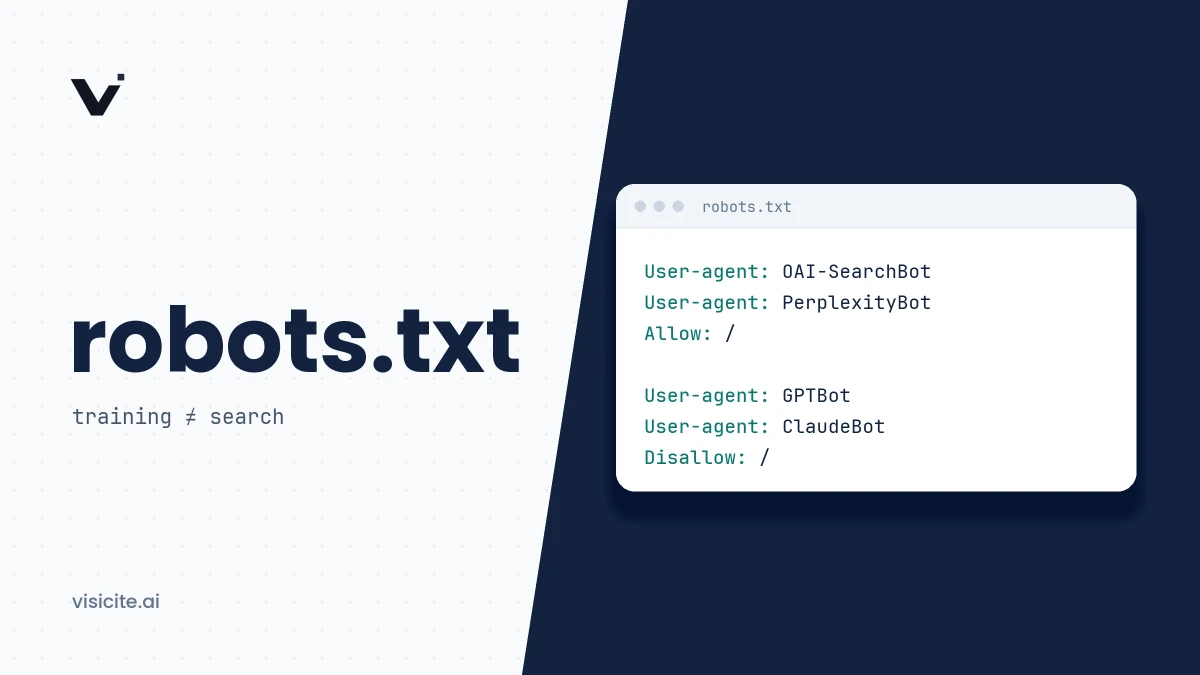

robots.txt lets you decide which AI crawlers may fetch your pages, but only for crawlers that choose to obey it. The key point is that AI companies run separate bots for separate purposes: one to collect training data, one to build a search index, and one that fetches pages when a user asks for them. Blocking the training bot does not remove you from AI search, and allowing the search bot says nothing about training.
In brief
- Sort bots into three kinds: training (for example GPTBot, ClaudeBot), search index (OAI-SearchBot, Claude-SearchBot, PerplexityBot) and user-triggered fetches (ChatGPT-User, Claude-User, Perplexity-User).
- Google AI Overviews and AI Mode are governed by Googlebot, not Google-Extended. Google-Extended covers Gemini training and grounding in Gemini Apps and Vertex AI.
- A group that names a specific bot replaces the
*group. It does not inherit its rules. - robots.txt is a voluntary convention, not access control. Several user-triggered fetchers do not fully follow it, by their vendors' own account.
- If a bot is allowed in robots.txt but still cannot reach the site, the cause is often bot protection in a CDN or firewall.
Three kinds of AI bot, and why the difference matters
Almost every question about robots.txt and AI gets easier once you sort bots by purpose:
- Training bots collect content that may be used to train future models. Blocking them has no effect on whether you show up in AI search today.
- Search bots build the index an AI service searches when it answers with citations. Block them and you cannot be cited from that index.
- User-triggered fetches happen when a person asks the assistant to read a page, or the assistant looks something up live. Several vendors do not treat these as crawling.
OpenAI states explicitly that each setting is independent: you can allow OAI-SearchBot to appear in ChatGPT search results while disallowing GPTBot to indicate that content should not be used for training. Anthropic, Perplexity, Apple and Amazon use the same split. How those indexes are used when an answer is assembled is covered in our guide to how AI search engines work.
The AI bots, according to each vendor's own documentation
This table is built only from each vendor's official documentation, checked in November 2026. The robots.txt column reports what the vendor says, not what independent measurements show.
| robots.txt token | Purpose | Honours robots.txt, per the vendor |
|---|---|---|
| GPTBot (OpenAI) | Training OpenAI's foundation models | Yes. Disallow indicates content should not be used for training. |
| OAI-SearchBot (OpenAI) | Search index for ChatGPT's search features | Yes. Opted-out sites are not shown in search answers, though they can still appear as navigational links. |
| ChatGPT-User (OpenAI) | Fetches at a user's request in ChatGPT and Custom GPTs | Not reliably. OpenAI says robots.txt rules "may not apply" because the user initiates the action. |
| ClaudeBot (Anthropic) | Collecting content that could contribute to model training | Yes. Blocking signals that future materials should be excluded from training datasets. |
| Claude-SearchBot (Anthropic) | Indexing to improve search results in Claude | Yes |
| Claude-User (Anthropic) | Fetches when a user asks Claude a question | Yes. Anthropic says disabling it prevents retrieval in response to user queries. |
| Googlebot (Google) | Google's search index, which AI Overviews and AI Mode also draw on | Yes |
| Google-Extended (Google) | Not a crawler. A control token for Gemini training and for grounding in Gemini Apps and Vertex AI. | Yes. It does not affect Google Search and is not a ranking signal. |
| PerplexityBot (Perplexity) | Search index for Perplexity. Not used to crawl for foundation model training, per Perplexity. | Yes |
| Perplexity-User (Perplexity) | Fetches when a user asks a question | No. Perplexity says it "generally ignores robots.txt rules". |
| Applebot (Apple) | Search in Spotlight, Siri and Safari. Data may also be used for training unless you disallow Applebot-Extended. | Yes. If no rules mention Applebot, it follows the rules for Googlebot. |
| Applebot-Extended (Apple) | Does not crawl. A control token for whether Applebot's data may train Apple's models. | Yes |
| bingbot (Microsoft) | Bing's index, which also underpins AI answers in Bing and Copilot | Yes for crawling. AI use is governed by separate preferences, see below. |
| CCBot (Common Crawl) | An open repository of crawl data that anyone can download | Yes, per Common Crawl's instructions for blocking the bot |
| Amazonbot (Amazon) | Improving Amazon's products. May be used to train Amazon AI models. | Yes |
| Amzn-SearchBot (Amazon) | Search experiences such as Alexa. Not training. | Yes |
| Amzn-User (Amazon) | Live fetches on a user's behalf | Partly. Amazon says it may not follow all directives. |
| Meta-ExternalAgent (Meta) | Training foundation models and indexing content directly | Meta gives robots.txt as the way to block it. |
| Meta-WebIndexer (Meta) | Search quality in Meta AI | Meta gives robots.txt as the way to control it. |
| Meta-ExternalFetcher (Meta) | Fetches individual links at a user's request | Not reliably. Meta says it may bypass robots.txt. |
ByteDance's crawler Bytespider is not in the table because we have not found official ByteDance documentation describing its purpose or how it treats robots.txt.
Google: Googlebot and Google-Extended are different things
The most common misunderstanding is that Google-Extended controls AI Overviews. It does not. Google's documentation on AI features in Search says AI is built into Search and that robots.txt directives for Googlebot are the control for crawling. Google-Extended instead decides whether content Google has already crawled may be used to train future Gemini models and for grounding in Gemini Apps and Vertex AI. It has no user agent string of its own, so it never appears in your logs.
The consequence: if you disallow Google-Extended you still appear in Google Search and can still appear in AI Overviews, but you opt out of grounding in the Gemini app. To limit how Google uses a page in AI Overviews and AI Mode, use the snippet controls described further down.
Microsoft: new preferences from 2027
Microsoft has no separate AI token equivalent to Google-Extended. Since 2023, use in AI answers and training has been controlled with the NoArchive and NoCache meta tags. On 30 October 2026 Microsoft announced their replacement: from 1 February 2027 it will honour a training preference in robots.txt (User-Agent: __usage_ai-training) and page-level ai-training and ai-grounding preferences in a meta tag or HTTP header addressed to Bingbot. After 1 March 2027, NoArchive and NoCache will no longer be read as AI preferences. If you rely on those tags today, read Microsoft's post in full.
How a crawler reads your robots.txt
The format is standardised in RFC 9309. Three rules cause most mistakes:
- A bot follows one group only. If a group names the bot, that group applies. The
*group applies only to bots without a group of their own. The rules are not merged. - The longest matching path wins. If both an Allow and a Disallow rule match, the most specific one applies, meaning the longest. If they are equal, Allow applies.
- The file applies per host.
www.example.comandblog.example.comeach need their own robots.txt.
The first rule is an easy trap. Here the intent is to keep every bot out of /checkout/ and to welcome GPTBot explicitly:
User-agent: *
Disallow: /checkout/

User-agent: GPTBot
Allow: /
The result is that GPTBot may fetch everything, including /checkout/, because its own group replaces the * group. The correct version repeats the rules:
User-agent: *
Disallow: /checkout/

User-agent: GPTBot
Disallow: /checkout/
Allow: /
Several consecutive User-agent lines can share one set of rules. That keeps the recipes below short.
Three ready-to-use recipes
1. Allow everything
This is the starting point if you want the widest possible visibility. With no robots.txt at all, crawlers may also fetch everything, but an explicit file shows the choice is deliberate and gives you a place for exceptions such as /admin/.
User-agent: *
Disallow: /admin/
Allow: /

Sitemap: https://www.example.com/sitemap.xml
2. Allow AI search, opt out of training
This suits a site that wants to be cited in AI answers without contributing training data.
# Training: no
User-agent: GPTBot
User-agent: ClaudeBot
User-agent: Applebot-Extended
User-agent: CCBot
Disallow: /

# Shared training preference (IETF draft)
User-agent: __usage_ai-training
Disallow: /

# Everyone else, including search bots and AI search bots
User-agent: *
Disallow: /admin/
Allow: /

Sitemap: https://www.example.com/sitemap.xml
Some trade-offs the recipe does not make for you:
- Google-Extended is left out on purpose. Adding it opts you out of Gemini training, but also out of grounding in Gemini Apps. That is a reasonable choice, but it is one that reduces your visibility there.
- Amazonbot and Meta-ExternalAgent have mixed purposes according to their vendors, covering training and other uses. Add them to the first group if training matters most to you.
__usage_ai-trainingcomes from an IETF Internet-Draft, not a finished standard. Anthropic says it began recognising the signal on 30 October 2026 and is rolling it out over time, Microsoft starts honouring it on 1 February 2027, and Google says it intends to support it in early 2027. For Anthropic, a rule that names ClaudeBot takes priority over the general signal.
3. Block all AI bots
User-agent: GPTBot
User-agent: OAI-SearchBot
User-agent: ChatGPT-User
User-agent: ClaudeBot
User-agent: Claude-SearchBot
User-agent: Claude-User
User-agent: Google-Extended
User-agent: PerplexityBot
User-agent: Perplexity-User
User-agent: Applebot-Extended
User-agent: CCBot
User-agent: Amazonbot
User-agent: Amzn-SearchBot
User-agent: Amzn-User
User-agent: Meta-ExternalAgent
User-agent: Meta-WebIndexer
User-agent: Meta-ExternalFetcher
Disallow: /

User-agent: __usage_ai-training
Disallow: /

User-agent: *
Disallow: /admin/
Allow: /
This recipe has two gaps you cannot close in robots.txt. ChatGPT-User, Perplexity-User, Amzn-User and Meta-ExternalFetcher do not always follow the file, according to their vendors. And AI answers in Google Search and Bing draw on Googlebot and bingbot, which you cannot block without disappearing from ordinary search. Those need page-level rules instead.
What robots.txt cannot do
It is not access control. RFC 9309 says plainly that the rules are not a form of access authorization and that the protocol is not a substitute for valid content security measures. The file is also public, so any path you list in it is visible to everyone. Content that must not be read belongs behind authentication.
It does not remove what has already been collected. Anthropic, for example, describes blocking ClaudeBot as a signal that future materials should be excluded. Changes are not instant either: OpenAI and Perplexity both say it can take about a day.
It does not control how Google shows or uses a page in AI answers. That is the job of the rules in Google's robots meta tag specification:
noindexkeeps the page out of search results altogether.nosnippetstops text snippets and, per Google, prevents the content from being used as a direct input for AI Overviews and AI Mode.max-snippet:[number]limits snippet length and with it how much may be used as direct input.data-nosnippetis an HTML attribute that excludes a single passage.
<meta name="robots" content="max-snippet:160">

<p>This text may appear in snippets.
<span data-nosnippet>This text may not.</span></p>
These rules can only be read if the crawler is allowed to fetch the page. A page blocked in robots.txt therefore cannot also deliver noindex or nosnippet. Bear in mind too that tight snippet limits reduce your visibility in AI answers, which is rarely the goal for anyone working on GEO.
The hidden cause: CDN and firewall rules
A bot that is allowed in robots.txt can still be blocked or challenged by a CDN, a web application firewall (WAF) or bot protection at your host. Nothing in robots.txt reveals this, and ordinary web analytics rarely does. The vendors raise the problem themselves: OpenAI recommends allowing requests from its published IP ranges, Perplexity documents how to configure Cloudflare WAF and AWS WAF for its bots, and Anthropic notes that IP blocking can stop its bots from even reading your robots.txt. So check the bot settings in your CDN before you debug anything else. It is one of the technical factors that decide whether the rest of the work counts.
Verify in your server logs
robots.txt describes what you permit. The logs show what actually happens. Work through these steps:
- Fetch the file yourself and confirm it returns status 200 with the right content on every host:
curl -i https://www.example.com/robots.txt - Count status codes per AI bot. This example assumes the combined log format, where the status code is field nine:
Many 403, 429 or 503 responses for bots you allow suggest that something other than robots.txt is blocking them.grep -E "GPTBot|OAI-SearchBot|ChatGPT-User|ClaudeBot|Claude-SearchBot|Claude-User|PerplexityBot|Perplexity-User" /var/log/nginx/access.log \ | awk '{print $9}' | sort | uniq -c - Confirm the bot is genuine. User agent strings can be forged. OpenAI and Perplexity publish IP ranges for each bot as JSON, and Common Crawl describes how to verify CCBot with a reverse DNS lookup.
- Test your bot protection from outside. A request sent with a bot's user agent shows whether the site blocks on user agent. It will not catch rules based on IP address.
curl -I -A "Mozilla/5.0 (compatible; PerplexityBot/1.0; +https://perplexity.ai/perplexitybot)" https://www.example.com/
If your logs live in the CDN rather than on the server, look there. Requests stopped at the CDN never reach the server log.
Frequently asked questions
Should I block or allow AI bots?
It depends on what you want. To be cited in AI answers, the search bots and user-triggered fetchers need to reach your pages. Training bots are a separate decision about how you feel about your content being used to train models. Access is a precondition for visibility, not a guarantee of it.
Will I still appear in ChatGPT if I block GPTBot?
You can. According to OpenAI, GPTBot governs training while OAI-SearchBot governs whether a site can be shown in ChatGPT search answers. The settings are independent.
Does Google-Extended control whether I appear in AI Overviews?
No. Google states that Google-Extended does not affect Google Search. AI Overviews and AI Mode rely on Googlebot's crawling and are limited with nosnippet, max-snippet, data-nosnippet or noindex.
Do all AI bots obey robots.txt?
No. The major vendors say their automatic crawlers follow it, but several state that user-triggered fetches do not always do so. Unknown or badly behaved bots are bound by nothing. If you need to actually stop access, use authentication or firewall blocking.
How long does a robots.txt change take to apply?
Allow about a day. OpenAI and Perplexity both cite roughly 24 hours, and RFC 9309 says a crawler should not use a cached robots.txt for longer than that.
Next steps
Decide first what you want: to appear in AI search, to opt out of training, or both. Then pick a recipe, check your CDN settings and confirm in the logs. For a quick check you can run Visicite's free scan, which among other things reviews how robots.txt treats AI training and search bots. Once access is sorted, the next steps are llms.txt, structured data and the rest of the GEO checklist.