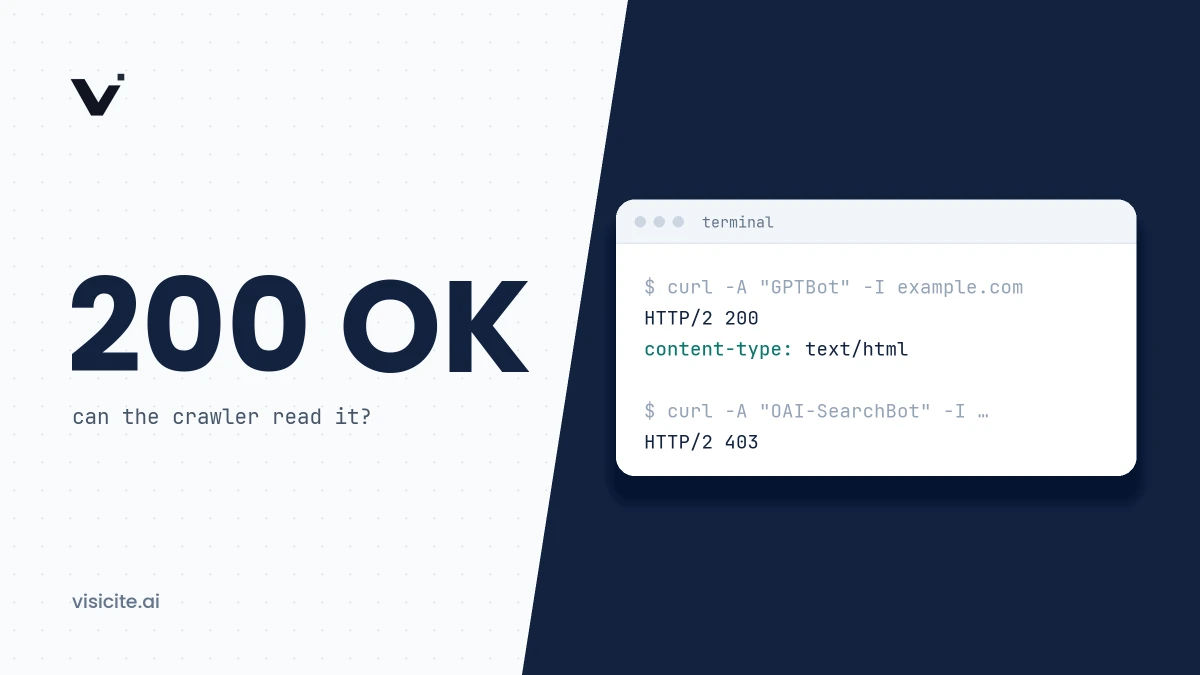

An AI service can only cite a page its crawler is allowed to fetch, that returns a 200 status, and whose text is present in the HTML response itself. Seven technical factors decide whether that works: crawler access, server-rendered content, semantic HTML, canonical and hreflang, structured data that matches the page, reliability, and snippet controls. None of them guarantees a citation, but any one of them can rule you out on its own.
In brief
- Search and training use different crawlers. You can allow OAI-SearchBot, Claude-SearchBot and PerplexityBot without allowing training on your content.
- Google runs JavaScript. OpenAI, Anthropic and Perplexity say nothing about doing so in their crawler documentation (November 2026). Assume that what is missing from the raw HTML is not seen.
- For Google's AI features a page must be indexed and eligible to be shown with a snippet.
nosnippetandmax-snippet:0close the door completely. - Everything here can be tested in ten minutes with curl and your browser's developer tools. The commands are below.
What the vendors have actually said
Much of what is written about technical GEO is assumption. This is what can be backed by the vendors' own documentation as of November 2026.
| Vendor | Documented | Not documented |
|---|---|---|
| No technical requirements for AI Overviews and AI Mode beyond ordinary Search. The page must be indexed and eligible for a snippet. Googlebot renders JavaScript. | How sources are picked for an individual answer. | |
| OpenAI | Which crawlers exist, what each is for, and that they are controlled with robots.txt. | JavaScript rendering, timeouts, handling of canonical, hreflang and structured data. |
| Anthropic | Three robots with different purposes, support for robots.txt and Crawl-delay. | Same as above. |
| Perplexity | Two robots, published IP ranges and advice on firewall rules. | Same as above. |
Google states plainly in its documentation on AI features that you do not need to create new machine-readable files or special markup to appear in AI Overviews or AI Mode. So the seven factors below are not tricks. They are about not getting in the way.
1. Crawler access: robots.txt, firewall and status codes
Start here, because nothing else matters if the crawler cannot get in. Access can be stopped at three levels: in robots.txt, in a CDN or firewall in front of the server, and by the server itself through an error status.
The vendors separate crawlers for search from crawlers for training. The first group decides whether you can appear in answers.
| Service | Search and answers | Training |
|---|---|---|
| ChatGPT | OAI-SearchBot | GPTBot |
| Claude | Claude-SearchBot | ClaudeBot |
| Perplexity | PerplexityBot | No separate training crawler listed |
| Googlebot | Google-Extended |
The sources are OpenAI's crawler overview, Anthropic's help article, Perplexity's crawler documentation and Google's list of crawlers. In addition there are ChatGPT-User, Claude-User and Perplexity-User, which fetch a page when a user asks for it. OpenAI says that sites opted out of OAI-SearchBot will not be shown in ChatGPT search answers, and that a robots.txt change can take about 24 hours to take effect.
How to test
Fetch the page with a crawler's user agent and look at the status code. Replace the address with your own.
# What does OpenAI's search crawler get back?
curl -s -o /dev/null -w "%{http_code}  %{time_total}s\n" \
  -A "Mozilla/5.0 AppleWebKit/537.36 (KHTML, like Gecko); compatible; OAI-SearchBot/1.4; +https://openai.com/searchbot" \
  https://www.example.com/your-page

# The same test as Perplexity
curl -s -o /dev/null -w "%{http_code}  %{time_total}s\n" \
  -A "Mozilla/5.0 (compatible; PerplexityBot/1.0; +https://perplexity.ai/perplexitybot)" \
  https://www.example.com/your-page

# Compare with a plain request
curl -s -o /dev/null -w "%{http_code}  %{time_total}s\n" https://www.example.com/your-page

# Read robots.txt and follow the redirect chain
curl -s https://www.example.com/robots.txt
curl -sIL http://example.com/your-page | grep -i -E "^HTTP|^location"
If you get 200 as a normal visitor but 403, 429 or a challenge page with the crawler's user agent, the problem sits in the firewall, not in robots.txt. The test has one limit: it only exposes rules based on the user agent. A firewall that verifies IP addresses may treat your test differently from the real crawler. The reliable evidence is the server log. Search for the crawler's name and see which status codes it received.
How to fix
- robots.txt: allow the search crawlers you want to be visible to. How to write the rules, and how to separate search from training, is covered in the guide to robots.txt for AI crawlers.
- CDN and firewall: review the bot settings. Cloudflare, for example, has dedicated policies for AI crawlers split into search, agents and training, where each category can be allowed or blocked. Perplexity recommends a rule that lets its robots through based on both user agent and published IP ranges.
- Status codes: important pages should return 200 directly or after a single 301. Google explains in its reference on HTTP status codes that content from 4xx pages is ignored, that 5xx and 429 make its crawlers slow down, and that URLs which persistently return server errors are removed from the index. A page that returns 200 but shows an error message or an empty page is flagged in Search Console as a soft 404.
2. The content must be in the HTML response
Anything that only appears after JavaScript has run is invisible to every crawler that does not render the page. Google does render: according to Google's JavaScript SEO guide, pages are queued for rendering in an evergreen version of Chromium, which can take seconds or longer. The same guide notes that server-side rendering is still a good idea because not all bots can run JavaScript, and Google writes elsewhere that rendering is not guaranteed.
For OpenAI, Anthropic and Perplexity there is no statement either way. Their crawler documentation does not mention JavaScript at all as of November 2026. The only cautious assumption is that they read what the server sends, and nothing more.
How to test
# Is a sentence from the main text present in the raw HTML?
# 0 means the text is added by JavaScript.
curl -s https://www.example.com/your-page | grep -c "an exact sentence from the body text"

# Which headings exist without JavaScript?
curl -s https://www.example.com/your-page | grep -o -i -E '<h[1-6][^>]*>[^<]*'
Check where the match sits, too. Frameworks such as Next.js can put the text in a JSON block inside a <script> tag. grep then finds the sentence, but it is not there as readable HTML. In the browser, the simplest comparison is this:
- Open the page and choose View page source. That is the raw HTML, which is what a crawler without JavaScript sees.
- Open the developer tools and look at the Elements tab. That is the rendered page.
- Turn JavaScript off: open the command menu in Chrome DevTools, type "Disable JavaScript" and reload. Whatever disappears depends on JavaScript.
- For Google specifically, the URL Inspection tool in Search Console shows the HTML that Googlebot actually received.
How to fix
Use server-side rendering, static generation or prerendering for everything that should be citable: headings, body text, tables, prices, frequently asked questions. Do not put answers behind tabs or accordions that only fetch their text on click. Content that is in the HTML but visually collapsed is a smaller problem than content that is not there at all.
3. Clean HTML with semantic structure
The evidence is weaker here, and that should be said openly. No vendor has promised that correct heading levels lead to more citations. What Google does say is that important content should be available in textual form. The reason to care anyway is mechanical: answer engines work with passages of text lifted out of the page, and a passage that stays attached to its heading is easier to interpret correctly than text scattered across anonymous containers. We describe that retrieval step in how AI search engines work.
Before:
<div class="title-big">Delivery times</div>
<div class="row">Sweden 1 to 3 days<br>Norway 3 to 5 days</div>
After:
<h2>Delivery times</h2>
<table>
  <thead>
    <tr><th>Country</th><th>Delivery time</th></tr>
  </thead>
  <tbody>
    <tr><td>Sweden</td><td>1 to 3 working days</td></tr>
    <tr><td>Norway</td><td>3 to 5 working days</td></tr>
  </tbody>
</table>
Practical rules: one h1 per page, heading levels without gaps, lists as ul or ol, comparisons as real tables and never as images, and the main content inside main or article. Test with the heading command above. The outline should make sense without seeing the page. How the text itself should be written is covered in writing content AI wants to cite.
4. Canonical, duplicates and hreflang
The same content on several addresses splits the signals and makes it unclear which address should be named as the source. In its guidance on canonical URLs, Google describes redirects and rel="canonical" as strong signals and sitemap inclusion as a weak one. For language versions, Google's hreflang documentation says each version must list itself and all other versions with fully qualified URLs, and that the tags are ignored if two pages do not point to each other.
How OpenAI, Anthropic and Perplexity handle canonical and hreflang is not documented. Since Google's AI features are built on Google's index, it is still worth getting right.
<link rel="canonical" href="https://www.example.com/guide/">
<link rel="alternate" hreflang="en" href="https://www.example.com/guide/">
<link rel="alternate" hreflang="sv" href="https://www.example.com/sv/guide/">
<link rel="alternate" hreflang="x-default" href="https://www.example.com/guide/">
# What does the page itself declare?
curl -s https://www.example.com/guide/ | grep -o -i -E '<link[^>]+rel="(canonical|alternate)"[^>]*>'Common mistakes: a canonical that points to the home page, to an address that redirects, or to the other language version. Each language version should have itself as canonical. Also check that http, https, www and non-www all end up on one address with a 301. There is more on language versions in the guide to multilingual GEO.
5. Structured data that matches what is visible
Structured data should describe what is on the page and nothing else. Among its recommendations for AI features, Google lists making sure structured data matches the visible text, and in the same place says that no special schema.org markup is needed to appear there. Google's structured data guidelines prohibit marking up content that is not visible to readers. Whether the other AI services read JSON-LD at all is something they have not documented.
# Is there JSON-LD in the raw HTML? 0 means none, or that it is added by JavaScript.
curl -s https://www.example.com/your-page | grep -c 'application/ld+json'
Then compare field by field: headline, author, date, price and questions in the markup should be the same as in the text. Markup injected through a tag manager is not in the raw HTML and is only visible to crawlers that render. Which types are worth the effort is covered in the guide to JSON-LD and structured data.
6. Speed and reliability
None of the AI vendors publishes a time limit for how long its crawlers wait for a response. Claims about exact thresholds in seconds have no source. What is documented is that Google slows crawling down on 5xx and 429 responses. What is a reasonable assumption is that the user-triggered fetchers, which request your page while a person is waiting for an answer, have less patience than an indexing crawler.
# Time to first byte and total time. Run it several times and at different times of day.
curl -s -o /dev/null -w "TTFB: %{time_starttransfer}s  total: %{time_total}s\n" https://www.example.com/your-page
The fixes are the usual ones: cache finished HTML, put a CDN in front, make sure rate limits do not return 429 to legitimate crawlers, and monitor uptime. Look in the logs for 5xx responses served to crawlers. A page that is fast for you but times out under load is an availability problem, not a performance problem.
7. Snippet controls that silently prevent quoting
This is the fault most often missed, because the page looks perfectly normal. According to Google's robots meta tag specification, nosnippet prevents the content from being used as a direct input for AI Overviews and AI Mode. max-snippet:[number] limits how much may be used, and max-snippet:0 is equivalent to nosnippet. The data-nosnippet attribute excludes individual parts and works on span, div and section elements. The rules can also be sent in the X-Robots-Tag HTTP header, where they do not show up in the page source.
# Meta tags in the HTML
curl -s https://www.example.com/your-page | grep -o -i -E '<meta[^>]+name="(robots|googlebot)"[^>]*>'

# HTTP header
curl -sI https://www.example.com/your-page | grep -i "x-robots-tag"

# Parts that have been excluded
curl -s https://www.example.com/your-page | grep -c "data-nosnippet"
No output from the first two means no restrictions are set. If you find noindex, nosnippet or a low max-snippet value on a page you want cited, remove the rule or set it explicitly to unlimited.
<meta name="robots" content="max-snippet:-1">Typical causes are a setting in an SEO plugin, a template inherited from a paywall, and rules set at the CDN. Whether OpenAI, Anthropic and Perplexity follow these rules is not stated in their documentation. They are Google's controls, and for Google they are decisive.
A quick test in seven steps
| Factor | Test | Passes when |
|---|---|---|
| Access | curl with the crawler's user agent, server log | 200 for search crawlers, no 403 or 429 |
| Rendering | grep for body text in the raw HTML | The main text is there without JavaScript |
| Structure | List the headings with grep | One h1, logical order, data in tables |
| Canonical and hreflang | grep for link tags | Self-referencing canonical, reciprocal hreflang |
| Structured data | grep for ld+json, compare with the text | Present in raw HTML and accurate |
| Reliability | curl with timing, log of 5xx responses | Stable response times, no server errors |
| Snippet controls | grep for robots meta and X-Robots-Tag | No nosnippet or low max-snippet |
If you would rather not do it by hand, Visicite's free scan checks one URL at a time without an account, including bot access in robots.txt, canonical, hreflang, noindex, snippet limits, JavaScript dependency and whether the schema matches the visible content. Once the technical side is in place the next step is the content: continue with the GEO checklist.
Frequently asked questions
Do AI crawlers execute JavaScript?
Googlebot does, according to Google's own documentation. OpenAI, Anthropic and Perplexity do not say in their crawler documentation whether their robots do (November 2026). Build so that the main content is in the HTML the server sends.
How do you optimise a website for AI search engines like ChatGPT and Perplexity?
Technically, by letting their search crawlers in, returning 200, delivering the text in HTML and not restricting snippets. After that, the content and the credibility of the publisher decide the rest. The technical work only gives you the chance to be chosen.
Do I need llms.txt to appear in AI answers?
No. Google says no new machine-readable files are needed for AI Overviews or AI Mode, and none of the other vendors states in its crawler documentation that the file is required. What it can be used for is described in the llms.txt guide.
Can I block AI training and still appear in AI answers?
Yes, with the vendors that run separate crawlers. Block GPTBot and ClaudeBot but allow OAI-SearchBot and Claude-SearchBot. At Google, Google-Extended controls training and grounding in Gemini without affecting Google Search.
How quickly does a change take effect?
OpenAI states about 24 hours for robots.txt changes. Google says a recrawl can take anywhere from several days to several months depending on the page. The other vendors give no time.