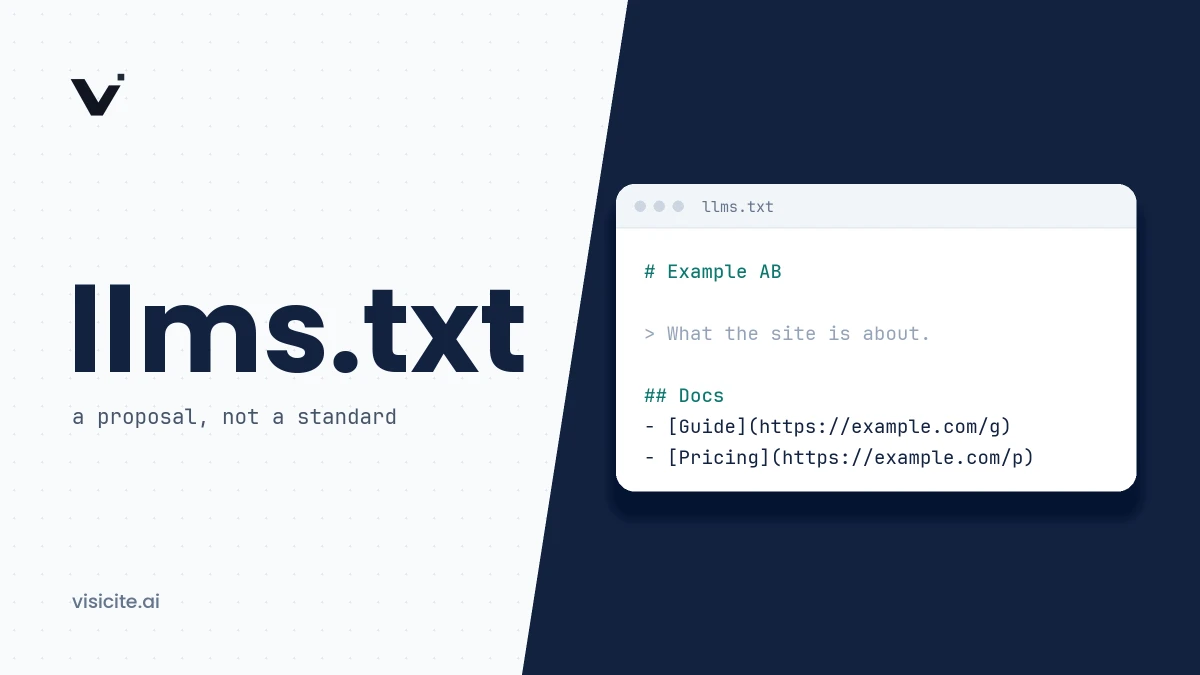

To implement llms.txt, publish a Markdown file at /llms.txt containing an H1 with your site's name, a short summary in a blockquote, and H2 sections with lists of links to your most important pages. The file is a proposal from 2024, not a standard. In practice it is used mostly by AI agents reading technical documentation, and none of the major AI vendors has documented that it affects which sources get cited in AI answers.
In brief
- llms.txt is a curated table of contents in Markdown for language models and agents. It does not control access and replaces neither robots.txt nor sitemap.xml.
- Only the H1 is required. The summary, free text and link sections are optional, but they are what make the file useful.
- The proposal was published in September 2024 by Jeremy Howard and revised to version 2 in August 2026.
- Google says you do not need special AI text files to appear in AI Overviews or AI Mode.
- It pays off most if you have documentation, an API or other content that agents look up. For an ordinary company site it is cheap hygiene with uncertain effect.
What llms.txt is, and what it is not
A web page is built for people. It comes wrapped in navigation, scripts and footers that a language model has to strip away, and a whole site rarely fits in a model's context window. The proposal at llmstxt.org addresses this with a single file that briefly explains what the site is and links to the pages worth reading, ideally in a clean Markdown version.
Two common descriptions are misleading:
- "robots.txt for AI". robots.txt tells a crawler what it may fetch. llms.txt grants and forbids nothing. To control access, see robots.txt for AI crawlers.
- "A sitemap for AI". A sitemap lists every indexable page. llms.txt is meant to be a selection, small enough to fit in context, and it may link to external sources too.
The proposal itself says the file is mainly intended for inference, meaning the moment an agent needs information while helping a user, rather than for training.
Who proposed it, and what status it has
Jeremy Howard of Answer.AI published the proposal on 3 September 2024. Version 2 followed in August 2026. According to the change log, it added standard link relations for discovering the file, allowed two URL forms for Markdown versions of pages, and defined what an llms.txt in a subdirectory covers.
llms.txt is still a community proposal. It has not been adopted by the IETF, the W3C or any other standards body, and the specification describes itself as open for community input through a GitHub repository.
What the AI vendors have actually said
Confident claims in both directions are easy to find. This is what can be supported from the vendors' own documentation as of November 2026:
| Who | What is documented |
|---|---|
| Google Search | Google's documentation on AI features says you do not need to create new machine readable files, AI text files or markup to appear in AI Overviews and AI Mode. |
| Google Chrome | Lighthouse includes an llms.txt audit among its agentic browsing checks. It treats the file as optional: if the file is missing, the audit is marked not applicable. |
| OpenAI | Publishes its own llms.txt for its developer documentation. OpenAI's crawler documentation does not mention llms.txt as something GPTBot or OAI-SearchBot reads. |
| Anthropic | Publishes an llms.txt for its developer documentation. Anthropic's description of its crawlers does not mention llms.txt. |
| Perplexity, Apple, Amazon | None of their crawler pages says the bots read llms.txt or treat the file as a signal. |
The conclusion is narrow but clear. The AI companies use the format to make their own documentation readable by agents. None of them has documented that its search index or answer engine fetches llms.txt from other sites or weighs it when choosing sources. We have not found a controlled study showing that the file increases AI citations either. If someone promises you that, ask for the evidence. What does appear to drive source selection is covered in how language models choose their sources.
The format, according to the proposal
The file is Markdown, but in a fixed order so that ordinary parsers can read it as well. The parts appear in this order:
| Part | Status | Content |
|---|---|---|
| H1 heading | Required | The name of the site or project. The only required part. |
| Blockquote | Optional | A short summary with what is needed to understand the rest of the file. |
| Free text | Optional | Paragraphs and lists with more background and guidance. No headings. |
| H2 sections | Optional | Lists of links. Each item is a Markdown link, optionally followed by a colon and a note. |
A section titled Optional is used by convention for secondary links an agent can skip when context is tight. In version 2 this is a convention and no longer a rule with mechanical meaning.
The smallest valid file is therefore a single line:
# Example CompanyMarkdown versions of your pages
The proposal has a second half that is often overlooked: pages agents may need should be available as clean Markdown at the same URL as the original, either with .md appended (page.html.md) or with the extension replaced (page.md). The links in llms.txt should point to those versions. This is where the practical benefit lies, because the agent no longer has to interpret HTML.
Version 2 also recommends two link relations, so an agent that lands on a regular page can find its way:
<link rel="alternate" type="text/markdown" href="/pricing.md">
<link rel="describedby" href="/llms.txt">
The same information can be sent as an HTTP header, which also works for files that are not HTML:
Link: </pricing.md>; rel="alternate"; type="text/markdown", </llms.txt>; rel="describedby"llms-full.txt is not part of the proposal
The file llms-full.txt, which puts an entire documentation set in one Markdown file, is not mentioned on llmstxt.org. It is a convention that grew up alongside, partly because the documentation platform Mintlify generates both files automatically. It can be handy for a small documentation set that fits in one context. For a large site the file quickly becomes too big to be useful, which is exactly the problem llms.txt with links is meant to solve.
When it is worth doing, and when it is not
| Your situation | Assessment |
|---|---|
| You have developer documentation, an API or a product that coding agents need to understand | Do it. This is where the format is used most, according to the proposal itself, and the benefit is direct. |
| You have a knowledge base, help pages or terms that users ask AI assistants to look up | Reasonable. Combine it with Markdown versions of the most important pages. |
| You have an ordinary company or campaign site | Optional. The effort is small and the file does no harm, but do not expect a measurable effect on AI citations. |
| The site has basic problems: blocked AI bots, content that requires JavaScript, thin pages | Wait. Fix those first, since they demonstrably decide whether you can be read at all. |
| Nobody will maintain the file | Skip it. A stale llms.txt with dead links and old prices is worse than none. |
If you are prioritising, the technical factors for AI visibility and content AI wants to cite matter more than llms.txt.
Writing a good llms.txt, step by step
- Pick 10 to 30 pages. Start from what an outsider needs in order to describe you correctly: what you do, for whom, what it costs, how to get started and how to reach you. Blog posts and campaign pages rarely belong here.
- Write the H1 and the summary. The summary should stand on its own. Say what the company is, not how good it is. "Market-leading end-to-end solution" says nothing. "Cloud inventory system for online retailers in the UK and Ireland" says everything.
- Add what tends to go wrong. The free text after the summary is the place for boundaries and common confusions: what the product is not, which currency prices are in, which version the documentation covers.
- Group the links under H2 headings and give each link a note saying what the page answers. An agent chooses which link to follow from that text.
- Point to Markdown versions if you have them. Otherwise link to the regular pages. That is better than no file, but part of the point is lost.
- Put secondary material under
Optional. - Decide who owns the file and tie updates to something that already happens, such as price changes and launches.
A complete example
The example is for a fictional company and follows the format in version 2 of the proposal.
# Stockroom

> Stockroom is a cloud inventory system for small and mid-sized online retailers in the UK and Ireland. It syncs stock levels between a web shop, physical stores and marketplaces in real time. The service is run by Stockroom Ltd, based in Leeds.

Things to know:

- Stockroom is an inventory system, not an accounting system. Bookkeeping and invoicing are handled through integrations.
- All prices are in GBP excluding VAT. Current prices are always on the pricing page.
- The documentation covers version 4 of the API unless stated otherwise.

## Product

- [Features](https://www.example.com/features.md): What the system does, grouped by use case
- [Pricing](https://www.example.com/pricing.md): Plans, what is included and notice period
- [Integrations](https://www.example.com/integrations.md): Supported e-commerce platforms, accounting systems and shipping tools

## Documentation

- [Getting started](https://www.example.com/docs/getting-started.md): Create an account, import products and connect your first shop
- [API reference](https://www.example.com/docs/api.md): Authentication, endpoints and error codes
- [FAQ](https://www.example.com/docs/faq.md): Answers to the most common support questions

## Company

- [About](https://www.example.com/about.md): History, ownership and company details
- [Contact and support](https://www.example.com/contact.md): Support hours, email and phone
- [Terms and privacy](https://www.example.com/terms.md): Terms of service and how personal data is handled

## Optional

- [Changelog](https://www.example.com/docs/changelog.md): Changes by version
- [Customer stories](https://www.example.com/customers.md): Examples of how customers use the service
How to serve the file
- Location. Put the file at the root,
https://www.example.com/llms.txt. Under version 2 a file may also sit in a subdirectory, for example/docs/llms.txt, in which case it covers the pages under that path. Where several apply, the most specific one is used. - Status code. The file should return 200 directly. A common trap is a site that returns 200 with its HTML error page for addresses that do not exist.
- Content type. The proposal does not specify one. The llms.txt files that OpenAI, Anthropic and llmstxt.org publish are served as
text/plain; charset=utf-8, so that is a safe choice. Always declare UTF-8 so that non-ASCII characters survive. - Access. The file must not be blocked in robots.txt, require a login or get caught by bot protection in your CDN.
In nginx this can look as follows:
location = /llms.txt {
    default_type text/plain;
    charset utf-8;
    add_header Link '</llms.txt>; rel="describedby"';
}
If you use WordPress, Wix or a documentation platform, the file can often be generated automatically. llmstxt.org lists Yoast SEO, Wix, GitBook and Mintlify among others. Review the output: an automatically generated list of every page is not the curated selection the proposal describes.
Validating the file
There is no official validator. Run four checks instead:
- Check the response. You should see status 200, a text content type and your H1 on the first line:
curl -sI https://www.example.com/llms.txt curl -s https://www.example.com/llms.txt | head -n 5 - Check the structure. Exactly one H1, the blockquote straight after it, no headings in the free text, and only link lists under the H2 headings. The
llms-txtPython library from the proposal's authors can parse the file and shows whether the sections are read the way you intended. - Check the links. Every link should return 200 and lead to the page its note describes.
- Test with an agent. This is the proposal's own advice: give an AI assistant only your llms.txt as a starting point and ask questions about the company. If it cannot find the answers, the selection or the notes need rework.
Lighthouse will also flag the case where the server returns a server error when llms.txt is requested.
Common mistakes
- Invented fields. Headings such as "Citation" or "Last updated", or rules in the style of
AllowandDisallow, are not part of the format. No parser looks for them. - Contact details as loose text under an H2. H2 sections hold link lists. Link to the contact page instead.
- The whole sitemap. Hundreds of links without notes help nobody choose.
- Sales copy in the summary. Superlatives give a model nothing to work with. Facts do.
- Details that contradict the site. Prices, names and addresses should match the pages and your structured data.
- Wrong character encoding, or HTML instead of Markdown.
- Believing the file controls access or replaces other GEO work.
Frequently asked questions
How do you implement llms.txt?
Create a UTF-8 encoded Markdown file with an H1, a summary in a blockquote and H2 sections linking to your most important pages. Upload it so it is reachable at /llms.txt, confirm it returns status 200, and keep it current.
Is llms.txt a standard?
No. It is a proposal by Jeremy Howard of Answer.AI, published in September 2024 and revised in August 2026. No standards body has adopted it.
Do ChatGPT, Claude and Google read llms.txt?
Google says no special AI text files are needed for AI Overviews or AI Mode. OpenAI and Anthropic publish llms.txt for their own documentation, but their crawler documentation says nothing about the bots reading other sites' files. An agent that is given the address can of course fetch the file like any other page.
What is the difference between llms.txt and robots.txt?
robots.txt states what crawlers may fetch. llms.txt is a content overview that points to what is worth reading. One is about access, the other about orientation, and neither affects the other.
Do I need llms-full.txt?
Rarely. The file is not part of the proposal at llmstxt.org and is mostly useful for small technical documentation that fits in a single context.
Summary
llms.txt is easy to get right and hard to justify with hard numbers. Do it if you have content that agents look up, or as cheap hygiene once the basics are in place. To see whether your file exists and has a title, a summary and sections, Visicite's free scan checks that along with the rest of your technical access. The remaining work is in the GEO checklist.