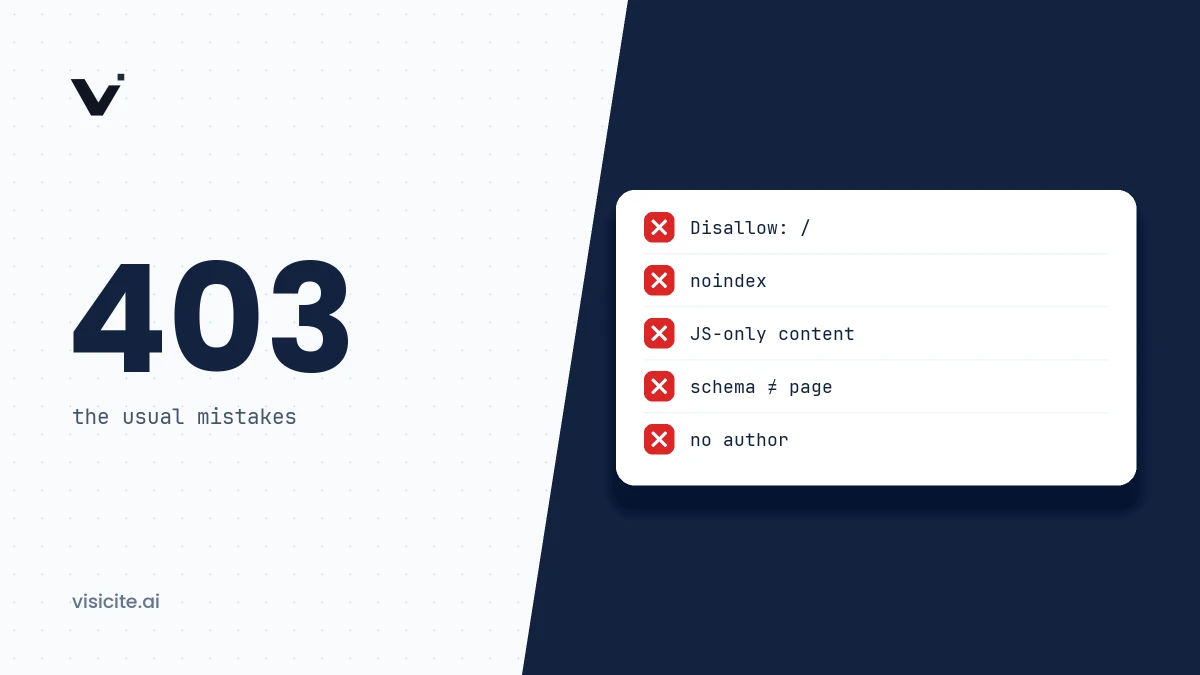

The most common GEO mistakes are technical and can be checked in minutes: AI search crawlers blocked in robots.txt or at the CDN, text that only exists after JavaScript has run, and structured data that does not match the page. Next come the content mistakes: no named author, no sources, and answers buried deep in the text. The last mistake is spending time on unproven tricks instead of measuring. This guide covers ten mistakes, how to detect each one and how to fix it.
In brief
- Separate training crawlers from search crawlers. Blocking GPTBot affects training. Blocking OAI-SearchBot removes you from ChatGPT search answers.
- Check the robots.txt that is actually served, not the file in your repository. A CDN can add rules and block bots before they reach your server.
- Assume AI crawlers read the HTML as delivered. Only Google documents that its crawler executes JavaScript.
- llms.txt is a proposed standard, not a ranking factor. Google says such files are not needed for its AI features.
- No technique guarantees citations. What you can do is remove obstacles and make your content easy to use and to trust.
1. You block AI search crawlers in robots.txt without knowing it
The typical case is a list of "AI bots to block" pasted into robots.txt to stop training, which also contains the bots that build search indexes. It looks like this:
User-agent: GPTBot
User-agent: ClaudeBot
User-agent: OAI-SearchBot
User-agent: Claude-SearchBot
User-agent: PerplexityBot
Disallow: /
The first two lines stop training. The last three remove the site from the search features. OpenAI's crawler documentation says that sites opted out of OAI-SearchBot will not be shown in ChatGPT search answers, though they can still appear as navigational links. Two other variants of the same mistake:
- A leftover block from staging.
User-agent: *followed byDisallow: /stops every crawler, Googlebot included. - Rules that are not inherited. Under the robots.txt standard, RFC 9309, a crawler obeys the group that matches its name and falls back to
*only when no such group exists. A bot with its own group does not inherit your general rules. Anything you want to apply to it has to be repeated in its group.
How to detect it: open https://yourdomain.com/robots.txt in a browser and search for the bot names in the table under the next heading. Check each subdomain separately, since robots.txt applies per hostname.
How to fix it: split the rules by purpose. The example below opts out of training but lets in search and user-initiated fetches. Whether to allow training as well is a policy decision, not a technical one.
# Training: opted out
User-agent: GPTBot
User-agent: ClaudeBot
Disallow: /

# AI search and user-initiated fetches: allowed
User-agent: OAI-SearchBot
User-agent: ChatGPT-User
User-agent: Claude-SearchBot
User-agent: Claude-User
User-agent: PerplexityBot
Disallow: /admin/

# Everyone else
User-agent: *
Disallow: /admin/

Sitemap: https://www.example.com/sitemap.xml
Allow for a delay. Both OpenAI and Perplexity state that it can take about 24 hours for a robots.txt change to take effect in their systems. The full walkthrough is in the guide to robots.txt for AI crawlers.
2. You confuse training crawlers with search crawlers
The vendors use different bots for different purposes, and each is controlled independently. This is the split according to their own documentation as of November 2026:
| Vendor | Training | Search index | User-initiated |
|---|---|---|---|
| OpenAI | GPTBot | OAI-SearchBot | ChatGPT-User |
| Anthropic | ClaudeBot | Claude-SearchBot | Claude-User |
| Perplexity | None stated | PerplexityBot | Perplexity-User |
| Google-Extended (token) | Googlebot | See below |
Four things that often go wrong:
- Google-Extended is not a crawler. According to Google's documentation it is a token with no separate user agent string. It controls whether content may be used for training Gemini models and for grounding in other Google systems. It does not affect a site's inclusion in Google Search and is not a ranking signal. AI Overviews and AI Mode are Search features that rely on Googlebot.
- PerplexityBot is not a training crawler. Perplexity's bot documentation says it is designed to surface and link websites in search results and is not used to crawl content for AI foundation models.
- User-initiated fetches do not always follow robots.txt. Perplexity states that Perplexity-User "generally ignores robots.txt rules" because a user requested the fetch. OpenAI says robots.txt rules may not apply to ChatGPT-User. Anthropic, by contrast, states that blocking Claude-User prevents retrieval in response to a user query.
- Outdated bot names. Older templates contain names such as
anthropic-ai. As of November 2026, Anthropic's documentation covers three bots: ClaudeBot, Claude-User and Claude-SearchBot. Rules for other names do not control them.
How to detect it: compare every User-agent line in your robots.txt with the vendors' current lists. How to fix it: decide first what you want (training yes or no, search yes or no), then write rules per bot.
3. Your CDN or firewall stops the bots
A correct robots.txt does not help if the crawler receives a 403 or a CAPTCHA before it reaches your server. Three documented cases:
- Cloudflare can rewrite your robots.txt. With the managed robots.txt feature, Cloudflare prepends its own rules to the contents of your file. The block contains
Disallow: /for GPTBot, ClaudeBot and Google-Extended, among others. Search crawlers such as OAI-SearchBot and PerplexityBot are not in that list, but Cloudflare's AI crawler policies have a separate Search category that can also be set to block. - Bot Fight Mode. Perplexity notes in its documentation that Cloudflare's Bot Fight Mode cannot be skipped with WAF custom rules, so the bots may be challenged even if you have added an exception.
- IP blocks and CAPTCHAs. Anthropic says its bots will not attempt to bypass CAPTCHAs, and that IP blocking can prevent them from reading robots.txt at all.
How to detect it: fetch the robots.txt that is actually served and compare it with the file you published. Then test a request with a bot's user agent:
curl -s https://www.example.com/robots.txt

curl -s -o /dev/null -w "%{http_code}\n" \
  -A "Mozilla/5.0 (compatible; PerplexityBot/1.0; +https://perplexity.ai/perplexitybot)" \
  https://www.example.com/
If the second command returns 403 or 503 while a normal browser gets 200, you have found a block. The test is not conclusive, because firewalls often evaluate the IP address and not just the user agent. The most reliable evidence is in your server logs, where you can see whether the real bots receive 200 responses:
grep -E "OAI-SearchBot|ChatGPT-User|Claude-SearchBot|Claude-User|PerplexityBot|Perplexity-User" access.log \
  | awk '{print $9}' | sort | uniq -c
The command counts status codes in the common combined log format. How to fix it: add exceptions that combine the user agent with the vendor's published IP ranges, for example openai.com/searchbot.json, perplexity.ai/perplexitybot.json and claude.com/crawling/bots.json, and update the ranges automatically.
4. The content only exists after JavaScript has run
Google's JavaScript SEO guidance explains that Googlebot renders pages with a headless Chromium, yet still recommends server-side rendering or pre-rendering because "not all bots can run JavaScript". Neither OpenAI, Anthropic nor Perplexity mentions JavaScript rendering on its crawler page. The cautious assumption is therefore that whatever is not in the HTML response does not get read.
How to detect it: pick a sentence from the body text and search for it in the raw HTML.
curl -s https://www.example.com/your-page | grep -c "a sentence from the body text"If the result is 0, the sentence is not in the server's response. You can do the same check in a browser with View page source, which shows the code before JavaScript runs, unlike Inspect.
How to fix it: use server-side rendering or static generation for all content that should be citable. That includes text in tabs, accordions and "read more" components that is fetched only on click. More technical checks are in technical factors for AI visibility.
5. You have restricted snippets without thinking about AI answers
According to Google's documentation on AI features, a page must be indexed and eligible to be shown with a snippet in order to be a supporting link in AI Overviews and AI Mode. The same page names nosnippet, data-nosnippet, max-snippet and noindex as the way to limit what is shown. A forgotten directive therefore has a direct effect.
How to detect it: check both the HTML and the HTTP headers.
curl -s https://www.example.com/your-page | grep -i -E "nosnippet|max-snippet|noindex"
curl -s -I https://www.example.com/your-page | grep -i "x-robots-tag"
How to fix it: remove the directives from pages you want to be citable, and keep them only where the restriction is intentional.
6. You treat llms.txt as a ranking factor
llms.txt is a proposed standard published by Jeremy Howard in September 2024. According to the proposal, the file is mainly meant for inference, when an agent or tool needs to find its way around a website, rather than for training. Google states explicitly that you do not need to create new machine readable files or AI text files to appear in its AI features, and none of the crawler pages linked above describes llms.txt as something its crawlers use for selection.
The mistake is not having the file. It is cheap to create and can be useful for agents and developer tools. The mistake is believing it solves any of the problems in points 1 to 5, or spending days on it while the site blocks search crawlers. How to write a correct file is covered in the llms.txt guide.
7. Structured data does not match what is visible
Google's structured data guidelines say that markup "must be a true representation of the page content" and that you should not mark up content that is not visible to readers. The list of things still worth doing for AI features includes exactly this: structured data should match the visible text. A typical error:
<script type="application/ld+json">
{
  "@context": "https://schema.org",
  "@type": "Article",
  "headline": "How to choose the right ERP system",
  "author": { "@type": "Person", "name": "Anna Lind" },
  "dateModified": "2026-10-02"
}
</script>
If the page shows neither an author nor a date, or if the visible date is a different one, the code says one thing and the page another. Common causes are templates that fill in fields automatically and FAQ schema left behind after the questions were removed from the page.
How to detect it: go through the JSON-LD block field by field and confirm that author, dates, questions, ratings and prices also appear in the visible text. How to fix it: show the information on the page or remove it from the code. More in the guide to JSON-LD and structured data.
8. No named author and no sources
Google's guidance on creating helpful content strongly encourages accurate authorship information, such as bylines, where readers might expect it, and lists clear sourcing and evidence of expertise among the things that make content trustworthy. The same text warns against fabricated creator profiles. How much weight each AI service gives this is not documented, but a text with no publisher and no evidence is harder to trust for people and systems alike.
How to detect it: open your ten most important pages. Do they say who wrote the text, when it was last updated and where the numbers come from?
How to fix it: add a byline that leads to an author page with a real background, show the date of the last update and link every figure to its original source. Do not invent authors. Read more in E-E-A-T in the AI era.
9. The answer is buried
AI services cite individual passages. A paragraph that needs the three preceding paragraphs to make sense is hard to use. Compare:
Before: Many people wonder about Google-Extended. There is a lot to say on the matter, and to understand the question we first need to go back to how crawlers have evolved in recent years.
After: Google-Extended does not affect your visibility in Google Search. It is a robots.txt token that controls whether content may be used to train Gemini models and for grounding in other Google systems.
How to detect it: read the first sentence under each heading. Does it answer the heading? Does the paragraph make sense when lifted out of the page?
How to fix it: open each section with the answer, name the thing you are writing about rather than "it" or "this", and put the background afterwards. More examples in writing content AI wants to cite.
10. You chase tricks instead of measuring
Hidden text aimed at language models, lists of keywords and mass-produced pages are sometimes sold as shortcuts to AI citations. Google's spam policies classify hidden text, keyword stuffing and content generated at scale without value for users as spam, no matter how the content is created. Since a page must be indexed by Google to appear in AI Overviews, you risk more than you stand to gain.
The real mistake is not measuring. Without measurement you cannot tell whether a change made a difference. A minimum:
- Track AI crawlers in your server logs with the command in point 3, so you can see they get in and receive 200 responses.
- Segment referral traffic from the AI services' domains in your analytics tool.
- Put the same fixed set of questions to the services at regular intervals and note whether you are mentioned and linked.
- Use the AI Performance report in Bing Webmaster Tools, which since February 2026 has shown citations in Copilot and in Bing's AI-generated summaries.
The methods are described in how to measure GEO results.
Quick check: all ten mistakes
| Mistake | Check | Fix |
|---|---|---|
| Search crawlers blocked in robots.txt | Read the served file | Separate rules for training and search |
| Training and search confused | Compare bot names with vendor lists | Write rules per bot and purpose |
| CDN or firewall stops bots | curl with bot UA, server logs | Exceptions using UA and IP ranges |
| JavaScript-dependent content | Search for a sentence in raw HTML | Server-side rendering or static generation |
| Restricted snippets | Search for nosnippet, max-snippet, noindex | Remove unintended directives |
| llms.txt as a ranking factor | Ask what the file replaces | Do points 1 to 5 first |
| Schema does not match the page | Compare JSON-LD with visible text | Show the information or remove it |
| No author, no sources | Review your ten key pages | Byline, date, linked sources |
| Buried answers | Read the first sentence under each heading | Answer first, background after |
| Tricks without measurement | Do you have logs and a fixed question list? | Measure before and after each change |
Frequently asked questions
How do I know if my site blocks AI crawlers?
Read the robots.txt served on your domain and search for OAI-SearchBot, Claude-SearchBot and PerplexityBot, and for a general Disallow: /. Then check your server logs to confirm the bots receive 200 responses rather than 403. A block at the CDN or firewall does not show up in robots.txt.
Should I block GPTBot?
That is a policy decision. GPTBot crawls content that may be used to train OpenAI's models. According to OpenAI, the settings for GPTBot and OAI-SearchBot are independent of each other, so you can opt out of training and still appear in ChatGPT search.
Do I need llms.txt to appear in AI answers?
No. Google states that AI text files are not needed for AI Overviews and AI Mode, and none of the major vendors' crawler pages describes llms.txt as a requirement. The file can be useful for agents and developer tools, but it does not replace crawlability and good content.
Do AI crawlers execute JavaScript?
Google documents that Googlebot renders JavaScript. OpenAI, Anthropic and Perplexity do not mention rendering on their crawler pages. Make sure all important content is in the HTML response from the server.
Does fixing these mistakes guarantee citations?
No. Fixing them removes obstacles and makes your content easier to retrieve, understand and trust. Which sources an AI service picks for a given answer cannot be controlled, and no vendor promises citations.
Check your own site
Several of the checks above can be automated. Visicite checks, among other things, whether training crawlers and AI search crawlers are allowed in robots.txt, how dependent a page is on JavaScript, whether structured data matches the visible content and whether there is a named author and external sources. The free scan covers a single URL and needs no account. If you prefer to go through everything by hand, use the GEO checklist, and see our study of 30 large Swedish websites for how large sites handle these points.